Get Ahead in Sales with DGAI On Demand: Boost Your Sales Game
Renee Goodenough
Even with modern tools, it can be tough to find qualified leads and manage sales territories effectively. Luckily, SalesRabbit has got your back with an awesome new feature: DataGrid AI On Demand (DGAI On Demand). This incredible tool makes reps’ sales lives easier.
What is DataGrid AI On Demand?
DataGrid AI On Demand is a feature on the SalesRabbit platform that makes canvassing in real-time extremely fast, easy, and intuitive for any field sales team. D2D reps can use DGAI On Demand to view updated buyer scores within a 300-meter radius of their location while they are actively canvassing. As the rep moves around their sales territory, the radius updates and shows the nearest buyer scores—constantly changing as the rep travels for unparalleled access to data.
4 Reasons to Use DGAI On Demand
1. Instant Buyer Scoring
With DGAI On Demand, you can instantly see nearby buyer scores right on your SalesRabbit mobile app. Imagine, within 300 meters you can check out the scores of potential buyers pinned to each house. This allows you to quickly figure out in real-time which leads are worth your attention. No more wasting time on leads that won’t go anywhere! Spend more time selling and less time fiddling with software or chasing dead-end leads.
2. Smarter Territory Management
Managing your sales territory is a big deal, and DGAI On Demand can help you do it like a pro. By using the buyer scoring feature, you can easily identify areas with lots of qualified leads. This means you can plan your sales activities more strategically and target specific neighborhoods where you’re more likely to find success. Then, you can execute your plan with ease by seeing buyer scores continuously populate around you. It’s all about working smarter, not harder.
3. Sales Team Control
We know that every company has different needs and preferences. That’s why DGAI On Demand gives you more control over who can access this feature. If you’re a manager or an admin, you can enable or disable DGAI On Demand for specific roles in your team. It’s as easy as flipping a switch in the Settings > Users > Roles & Permissions section.
4. Stay Ahead of the Competition
In the competitive world of sales, having an edge is crucial. DGAI On Demand gives you that edge by providing real-time information and valuable insights. With instant access to buyer scores, you can engage with prospects more effectively. Stay ahead of the competition and become a sales superstar!
See it in Action!
Want to see DGAI On Demand in action? We’ve got you covered! 👇
How to Use DGAI On Demand?
Open your SalesRabbit app: Launch the SalesRabbit app on your mobile device and log in to your account. Make sure you have the DGAI On Demand enabled for your role (check with your manager or admin if you’re not sure).
Navigate to your sales territory: Use the app’s map feature to find your current sales territory. You’ll see a map with all the houses in your area.
Check out the buyer scores: As you move, you’ll notice buyer scores appearing as pins on each house. These scores indicate the potential value of each lead. Green pins indicate high-value leads while red pins represent lower-value leads.
Prioritize your efforts: With the buyer scores right in front of you, you can now prioritize your sales activities more effectively. Focus on houses with higher scores, as they’re more likely to convert into sales. Say bye to wasted time on unqualified leads.
Engage with confidence: Armed with valuable insights from DGAI On Demand, you can approach each prospect with confidence. Tailor your sales pitch based on their potential value, increasing your chances of closing deals and exceeding your targets.
Remember, DGAI On Demand is all about making your sales life easier and more productive. So don’t hesitate to explore this powerful feature and unleash your sales potential.
Start Using DGAI On Demand
DGAI On Demand is not just another fancy feature—it’s a game-changer for sales reps and managers. With instant buyer scoring, improved territory management, user control, seamless integration, and a competitive edge, this feature empowers you to achieve sales success like never before. So go ahead, dive into SalesRabbit’s DGAI On Demand and watch your sales soar to new heights.
Not Already Using SalesRabbit?
If you’re working in outside sales and need lead management software built for field sales, then check out the SalesRabbit platform. Being an amazing lead management solution is just a small piece of what makes it so great.
8 Common Problems of Solar Proposals + How to Fix Them
Diana May-Jennings
Solar is arguably the biggest industry in the sales world. Buying renewable energy solutions, like solar panels, has become a regular practice in the U.S.
While the solar sales industry has experienced significant growth and success, there are some common challenges and problems that professionals in the field often face with their current solar panel proposals process.
Talking to solar teams everyday, we know and understand the problems they’re up against and we created a new solution to announce later in this blog. Our new solar tool not only fixes these 8 common problems solar teams face, but it’ll make your team so much more efficient and motivated to close more deals.
Here are just a few examples of problems we see daily when talking to our solar clients:
Lack of awareness and understanding
High upfront costs for customers
Shifting government policies and incentives
Complex financing options
Regulatory and permitting processes
Competition and market saturation
Solar panel system design and customization
Manually creating proposals
#1 Lack of awareness and understanding
Many potential customers have limited knowledge about solar energy and its benefits. Educating customers and dispelling myths or misconceptions can be a significant challenge for solar salespeople.
Most customers don’t understand that there’s an: initial investment, system cost for number of panels/build, solar lender differences, and regional cost model differences. Although, where the true lack of understanding comes from is that they let all of these factors outweigh their Return on Investment (ROI) that is the true benefit to purchasing solar panels.
#2 High upfront costs for customers
Solar panels aren’t cheap. The upfront cost of installing a solar system can be a barrier for some customers. Despite long-term cost savings, the initial investment can deter potential buyers who may not have access to financing options or perceive the payback period as too long.
It’s not like customers are overreacting either. Solar panels cost a lot of money upfront. Keep in mind when you’re selling a system that the customer is hearing there’s a cost for:
Solar panel system cost: Higher-quality and more efficient panels generally come with a higher price tag.
Installation labor and equipment: Hiring professional installers or contractors to handle the physical installation, wiring, and connection of the solar panels to the electrical system is expensive but necessary. Mounting hardware, racking, and other components necessary for proper installation may also contribute to the overall upfront costs.
Electrical system upgrades: Depending on the existing electrical infrastructure, customers may need to make upgrades or modifications to their electrical system to accommodate the solar panel installation.
Inverter and other system components: Inverters are responsible for this conversion. The cost of inverters or other necessary system components, such as monitoring systems or battery storage, will contribute to the upfront costs.
Permitting and inspection fees: Obtaining the necessary permits and undergoing inspections from local authorities are essential parts of the solar panel installation process. These processes often involve fees that customers must cover.
Engineering and design costs: For larger or more complex solar installations, customers and companies alike have design fees and even redesign fees.
It’s worth noting that while the upfront costs for solar panel installations can be significant, customers may be eligible for various incentives and financing options that can help offset or spread out these costs. These can include federal and local tax credits, grants, rebates, renewable energy certificates (RECs), and solar financing programs that offer loans or leases with manageable payment plans.
#3 Shifting government policies and incentives
Government policies and incentives related to solar energy can change over time. Keeping up with these changes and effectively communicating the available incentives to customers can be demanding.
Solar financing can be complex, with various options available such as cash purchases, solar loans, power purchase agreements (PPAs), and leasing arrangements. Navigating these options and explaining them clearly to customers can be challenging especially if you don’t understand them yourself.
With so many options available, financing is always going to be a complex component of solar proposals.
#5 Competition and market saturation
The solar industry is becoming increasingly competitive, with numerous companies trying every tactic to get customers’ attention, it’s no longer acceptable to hope you find your best customers. Standing out from competitors and differentiating one’s offerings can be a significant challenge.
To make sure your team doesn’t get washed away in the sea of other solar companies, you need to have a competitive edge. Solar is an incredibly saturated market but that doesn’t mean it’s impossible to become a frontrunner.
#6 Regulatory and permitting processes
The regulatory and permitting processes for solar installations can vary across regions and municipalities. The paperwork and bureaucracy involved in obtaining necessary approvals can slow down the sales process and add complexity.
While the permit process for solar proposals is intended to ensure safety, compliance, and quality of installations, it can sometimes pose challenges and delays. There are some very common problems that can arise during the permit process for solar proposals:
Lack of standardization
Complex and time-consuming process
Inconsistent review timelines
Permitting fees
Stringent requirements
Lack of expertise
Inadequate communication
#7 Solar panel system design and customization
Each customer’s solar needs and property characteristics may differ. Designing customized systems and proposals to present them that maximize energy production and meet customer requirements can be complex and time-consuming.
Salespeople aren’t designers and they shouldn’t have to be. Plus, chances are your customers are getting proposals from multiple companies before actually making a decision. If they don’t go with your proposal for whatever reason: maybe a bad design, cost, or timeline, that’s a lot of time wasted by sales reps.
Solar is a major purchase, and one that is often accompanied by significant complexity. With that in mind, most solar shoppers in the US compare two to five solar quotes before making a decision.
#8 Manually creating proposals
Manually creating solar proposals is something a lot of solar companies are currently doing. It involves the process of designing and presenting a customized solar energy system to potential clients. It typically includes a detailed analysis of the client’s energy needs, site assessment, system design, financial projections, and a persuasive presentation of the benefits of solar power. This can be a lengthy and repetitive process as you try to fine-tune your proposal.
Manually creating solar proposals usually looks something like this:
Gather information and assess the site: Start by collecting relevant information from the client, such as their electricity usage patterns, historical utility bills, location, available roof space or land area, and any specific requirements or preferences they may have.
Determine energy needs: Analyze the client’s historical electricity consumption to estimate their future energy requirements.
Design the solar system: Based on the site assessment and energy needs analysis, design a solar energy system that best suits the client’s requirements.
Financial analysis: Calculate the financial aspects of the solar proposal. Estimate the system’s energy production, cost savings, and return on investment (ROI). Consider factors like available incentives, tax credits, net metering policies, and financing options.
Create and customize the proposal document: Compile all the information gathered into a professional and comprehensive proposal document.
These are all steps that reps and managers are having to do manually, taking time out of their already busy schedule.
Are you a Solar Team With Any of These Problems?
If you own, manage, or are a part of a solar team that runs into a lot of issues like this, don’t worry. These problems are so common and more sales teams struggle with them than you realize.
All you need to do is chat with us and we can get your team running more effectively.
The Best Door to Door Sales Tips & Strategies
Zac Kerr
Door to door sales is an effective way to connect with potential customers and sell products or services. It can also be challenging, especially for those new to the field. To succeed in this line of work, you have to have the right mindset, preparation, and strategies in place.
You need the best door to door sales tips and strategies to help you maximize your sales and achieve success in this competitive industry. Whether you’re a seasoned pro or just starting out, these tips can help you improve your approach and increase your chances of making a sale.
What is Door to Door Sales?
Door to door sales is a method of selling products or services directly to potential customers or leads by going to their homes, or workplaces for B2B sales. This approach involves knocking on doors, introducing yourself, and presenting the product or service being sold to the customer.
D2D sales can be conducted by individual salespeople or teams who are assigned a specific territory or area to cover. The salesperson carries promotional materials, such as brochures or samples, and engages customers in conversations to persuade them to make a purchase.
This sales technique has been around for many years and is commonly used in industries such as home security, telecommunications, roofing, solar, and pest control. It can be a highly effective way to connect with potential customers, as it allows the salesperson to interact in person and directly address any concerns or questions.
While D2D sales can be a lucrative career for those who are successful, it can be challenging and require a significant amount of perseverance. However, by using the right strategies and tactics, sales professionals can increase their chances of success and achieve their sales goals.
Is Door to Door Sales Worth It?
Here’s the deal, whether door to door sales are worth it really comes down to a few factors:
The product or service being sold
The market demand/seasonality
The target audience/location
The sales tips/strategies
In some cases, door to door sales can be a great way to reach customers and make sales. But before you jump into it, it’s important to consider the pros and cons. You need to evaluate if it’s worth it for you to spend your time going door to door, especially if you’re working in an unproven industry or you have other marketing/sales options you’re considering.
The Pros & Cons of Door to Door Sales
Pros:
Door to door sales allow you to connect with potential customers face-to-face and personalize your pitch based on their needs and preferences
Door to door sales provide an opportunity to build relationships with customers, which can lead to long-term loyalty and repeat business
By going door to door, you can target specific neighborhoods or areas where your product or service is most relevant, maximizing your sales efforts
You can get immediate feedback on your sales pitch and adjust your approach based on what works and what doesn’t
Cons:
Door to door sales require a significant amount of time and effort to make each sale, which can be a drain on resources
Some people may view door to door sales as intrusive or annoying, which could hurt your brand reputation
Door to door sales can be heavily influenced by weather conditions, which can limit your ability to make sales during inclement weather
Door to door sales are limited by geography, and you may not be able to reach customers outside of the areas you can physically visit
The Cost-Effectiveness of Door to Door Sales
Again, the cost-effectiveness of D2D sales varies depending on factors like:
The product or service being sold
The market demand
The target audience
The sales strategy
The location
And here are additional factors that might affect the cost-effectiveness of door to door sales:
Cost of sales reps: Door to door sales require the hiring of sales reps, which can be expensive, including wages, benefits, and training
Travel expenses: Travel expenses are a given in D2D sales, such as gas, vehicle maintenance, and lodging, which can add up quickly
Time investment: Door to door sales can be time-consuming, requiring sales reps to spend significant amounts of time traveling, making sales calls, and building relationships with customers
Lead generation: The success of door to door sales depends on generating leads, which can be a costly and time-consuming process
Conversion rates: The effectiveness of door to door sales depends on the conversion rates, which can vary depending on the product, market demand, and the quality of the sales reps
Competition: Door to door sales may not be cost-effective if there is already a lot of competition in the market or if the product is not well-suited for door to door sales
You can make door to door sales more cost-effective by addressing these different factors and tailoring your strategy to your situation. It’s a question of what sales strategy works best for you.
“If you don’t collect any metrics, you’re flying blind. If you collect and focus on too many, they may be obstructing your field of view.” —Scott M. Graffius, Author of Agile Scrum
How to Measure Your Door to Door Sales Campaign
Measuring the effectiveness of your D2D sales campaign is crucial to determining its success and identifying areas for improvement. This is where to start:
Sales metrics: The most critical metric to measure the success of your door to door sales campaign is the number of sales generated. You can track this metric by monitoring the number of sales made per sales rep or per day
Conversion rates: Measuring conversion rates can help you determine the effectiveness of your sales pitch and identify areas for improvement. You can calculate the conversion rate by dividing the number of sales by the number of leads generated
Cost per sale: To determine the cost-effectiveness of your door to door sales campaign, calculate the cost per sale by dividing the total campaign cost by the number of sales generated
Return on investment (ROI): Measuring the ROI of your door to door sales campaign can help you determine if the campaign is worth the investment. To calculate ROI, subtract the total cost of the campaign from the total revenue generated and divide by the total campaign cost
Customer feedback: Collecting feedback from customers can help you evaluate the effectiveness of your sales pitch and identify areas for improvement
By tracking key metrics, collecting customer feedback, and evaluating sales rep performance, you can identify areas to optimize and increase the success of your door to door sales efforts.
Mindset & Preparation for Successful Door to Door Sales
When it comes to D2D sales, the right mindset and preparation are crucial for success. Before you even step out the door, it’s essential to know your product inside and out, and that starts with research. Be sure to know things like:
Your product’s features and benefits
Its unique selling proposition
How your product/service compares to competitors
This knowledge will help you answer any questions potential customers may have and demonstrate your expertise.
In addition to preparing with product knowledge, it’s essential to prepare yourself mentally. Set realistic goals for each day and stay positive throughout your sales calls.
Remember that not every interaction will result in a sale, but every interaction is an opportunity to learn and improve your approach.
Rehearse or refresh your pitch until it feels natural and confident, and dress appropriately to project professionalism.
Building Confidence & Overcoming Fear of Rejection
Rejection is a natural part of sales, and it’s essential to learn how to handle it. To build your confidence, focus on the benefits of your product or service and visualize yourself making successful sales calls. Use positive self-talk to reinforce your self-belief and celebrate your successes, no matter how small.
Practicing active listening is another way to boost your confidence and reduce the fear of rejection. By focusing on the needs of potential customers, you shift the focus away from potential rejection and build rapport. Remember to embrace rejection as an opportunity to learn and grow, and use it to refine your approach for future sales calls.
Setting Realistic Sales Goals & Targets
Setting realistic sales goals and targets is crucial to stay motivated and focused throughout your door to door sales campaign. Make sure your goals are specific, measurable, and achievable. For example, set a goal to make a certain number of sales calls per day.
Track your progress and adjust your goals as necessary to ensure you stay on track. Celebrate each milestone along the way to keep your motivation high and build momentum.
Sticking to action-oriented goals can make hitting milestones easier — you may not be able to directly control how many opportunities convert into sales each day, but you can control how many opportunities you interact with and the way in which you interact.
Conducting Research on Target Neighborhoods
Conducting research on your target neighborhoods is essential to maximize your time and efficiency during door to door sales. Use public records and demographic data to identify neighborhoods that are more likely to be interested in your product or service. For example, if you’re selling a home security system, target neighborhoods with more homeowners.
Map out your route in advance to ensure you visit the most promising neighborhoods first. This approach will help you optimize your time and increase your chances of success.
“According to an article published in the Journal of Economic Psychology, first impressions are important for establishing trusting beliefs which lead to trusting behavior.”
Approaching Potential Customers: Making a Strong First Impression
When you approach a potential customer during door to door sales, it’s essential to make a strong first impression. Smile warmly and introduce yourself with a friendly greeting. Project confidence and professionalism through your body language, eye contact, and tone of voice. Use their name if possible, and ask permission to speak with them about your product or service.
Dressing Professionally & Appropriately for the Neighborhood
Dressing professionally and appropriately for the neighborhood is an important factor in making a good impression. Dress in clean, pressed clothes that fit well and are appropriate for the area you’re visiting. If you’re selling in a high-end neighborhood, dress accordingly with business attire. In more casual areas, a polo shirt and slacks might be more appropriate.
Starting the Conversation with a Positive & Engaging Opener
Starting the conversation with a positive and engaging opener is crucial to keep potential customers interested and receptive. Use a hook or a statement that addresses their pain points or challenges.
For example, “Are you tired of worrying about home security?” or “Have you ever considered upgrading your internet speed?” This approach creates an opportunity for further discussion and engagement.
Asking Open-Ended Questions to Gauge Interest & Needs
Asking open-ended questions is a powerful technique to gauge interest and needs during door to door sales. These questions allow the customer to express their opinions and feelings, providing valuable insights into their needs and desires.
A few open-ended questions can be:
“What do you think about your current internet speed?”
“How do you feel about your home security situation?”
“What do you feel your current (pest, internet, security) solution is missing?”
Remember that the key to successful D2D sales is to build rapport with potential customers. Show genuine interest in their needs and concerns, and be prepared to listen to their feedback. By keeping these tips in mind, you can create a positive and engaging experience that will increase your chances of success.
Building Rapport & Establishing Trust with Customers
Building rapport and establishing trust with potential customers is a critical part of successful door to door sales. Start by introducing yourself and showing a genuine interest in their needs and concerns. Make eye contact, ask open-ended questions, and listen actively to their responses. Find common ground and use it to create a connection with them. By building a positive relationship, you establish trust, which is essential for closing the sale.
Practice Active Listening: Pay Attention to What Your Customers Are Saying
Active listening is a crucial skill in door to door sales. Pay attention to what your potential customers are saying, and show that you’re listening by nodding your head and making eye contact. Repeat back what they’ve said to show that you understand their concerns. Use their feedback to tailor your pitch to their specific needs, creating a personalized experience that is more likely to lead to a sale. Listening can be more powerful than any sales pitch.
Anticipating Customer Needs: Providing Solutions Before They Ask
Anticipating customer needs is a powerful way to provide value and build trust with potential customers. By demonstrating an understanding of their concerns and offering solutions before they ask, you position yourself as a helpful and knowledgeable resource.
If you’re selling home security systems, you might mention that the system comes with a battery backup in case of power outages. By anticipating their needs, you show that you’re proactive and committed to providing the best possible service.
Providing Value by Demonstrating Your Product or Service’s Benefits
Providing value is crucial in door to door sales. Demonstrating the benefits of your product or service is essential to convince potential customers to make a purchase. Focus on how your product or service solves their problems or improves their lives. Use examples and testimonials to illustrate the benefits, and be prepared to answer any questions they may have. By demonstrating value, you make it clear that your product or service is worth the investment.
“Sales are contingent upon the attitude of the salesman, not the attitude of the prospect.” —William Clement Stone
Tailoring Your Sales Pitch to Different Types of Customers
One size doesn’t fit all when it comes to D2D sales. To increase your chances of success, you must tailor your pitch to different types of customers.
You might have a pitch that focuses on the convenience and time-saving benefits for busy working parents, and a different pitch that highlights the energy-saving benefits for environmentally-conscious customers.
By tailoring your pitch, you demonstrate that you understand their specific needs and are committed to providing the best possible solution.
Adapting Your Sales Pitch to the Customer’s Personality & Communication Style
Adapting your sales pitch to the customer’s personality and communication style is essential to establishing trust. Some customers might be more analytical and require data and statistics to make a decision, while others might be more emotional and respond to personal stories.
Pay attention to their body language, tone, and word choice, and adapt your approach accordingly. By communicating in a way that resonates with them, you increase the likelihood of a successful sale.
Highlighting the Unique Benefits of Your Product or Service for Each Customer
Every customer is different, with unique needs and concerns. To convince them that the purchase is right for them, you must highlight the unique benefits of your product or service that are most relevant to them. If you’re selling home security systems to a family with young children, you might emphasize the safety and peace of mind that comes with knowing their home is secure.
By highlighting the benefits that are most important to each customer, you demonstrate that you understand their needs and are committed to providing a solution that works for them.
Showing Empathy & Understanding for Each Customer’s Situation
Showing empathy and understanding for each customer’s situation is essential to building trust and establishing a positive relationship. Whether they’re concerned about safety, convenience, or saving money, it’s important to show that you understand their concerns and are committed to finding a solution that works for them.
5 Common Mistakes to Avoid in Door to Door Sales
While door to door sales can be a highly effective way to reach new customers, there are some common mistakes that you must avoid to be successful. Here are some mistakes to avoid:
#1 Being Too Pushy or Aggressive with Customers
Being pushy or aggressive with customers is a surefire way to turn them off and lose a potential sale. Instead of being forceful, focus on building rapport and establishing trust with the customer. Ask open-ended questions, actively listen to their concerns, and demonstrate that you understand their needs. By showing empathy and understanding, you can create a more positive experience that leads to a successful sale.
#2 Not Reading Body Language & Social Cues from the Customer
Body language and social cues can tell you a lot about a customer’s interest level and willingness to engage. For example, if a customer is looking away or crossing their arms, they might be indicating disinterest or discomfort. By failing to read these cues, you risk wasting your time and potentially alienating the customer. Pay attention to their body language and adjust your approach accordingly to create a more positive experience.
#3 Making False or Misleading Claims About Your Product or Service
Making false or misleading claims about your product or service can damage your reputation and lead to legal issues. Be honest and transparent about the benefits and limitations of your product or service. If you don’t know the answer to a question, admit it and follow up with the customer later. By being truthful and transparent, you build trust with the customer and establish a positive reputation for your business.
#4 Neglecting to Follow Up with Customers After the Sale
Following up with customers after the sale is essential to building long-term relationships and ensuring their satisfaction. Neglecting to follow up can create a negative impression and lead to lost business. Consider sending a personalized thank-you note, offering a discount on future purchases, or asking for feedback on their experience. By demonstrating that you value their business and are committed to their satisfaction, you increase the likelihood of repeat business and referrals.
#5 Targeting the Wrong Neighborhoods or Customer Demographics
Targeting the wrong neighborhoods or customer demographics can result in wasted time and resources. Before you start your D2D sales campaign, conduct research on the neighborhoods and demographics that are most likely to be interested in your product or service. Or invest in the right tools to do the research for you. Consider factors like income, age, and lifestyle preferences. By targeting the right demographics, you can increase your chances of success and make the most of your time and resources.
“When dealing with skeptical listeners, a paper published in Current Opinion in Psychology highlights that observable costs, such as demonstrations that are difficult to fake or easy to verify, can improve speaker perception. Maybe try adding observable costs to your sales pitch.”
Overcoming Objections from Skeptical Customers
One of the most challenging aspects of door to door sales is overcoming objections from skeptical customers. It’s crucial to anticipate objections before they arise and be prepared to address them confidently and effectively.
Understanding the Different Types of Objections You May Encounter
There are many different types of objections you may encounter, but they generally fall into a few categories. Common objections include:
Cost or budget restraints
Timing
Lack of trust
Authority objections
Understanding the different types of objections can help you better prepare for them and respond in a way that addresses the customer’s specific concern.
Acknowledging the Customer’s Concerns & Empathizing with Their Point of View
When a customer raises an objection, you must acknowledge their concerns and show empathy for their point of view. This can help build trust and establish a positive rapport with the customer. Don’t jump straight to solutions. It’s important to listen actively and validate their concerns before addressing the objection.
Highlighting Positive Customer Reviews or Testimonials
One effective way to overcome objections is to highlight positive customer reviews or testimonials. Sharing success stories or feedback from satisfied customers can help build credibility and trust with the skeptical customer. This can help reassure them that others have had a positive experience with the product or service. Stick to the most relevant testimonials that you think will really resonate with that customer.
Reframing the Objection & Turning It into a Positive Opportunity
Another effective technique for overcoming objections is to reframe the objection and turn it into a positive opportunity.
For example, if a customer raises a cost objection, you could reframe it as an investment in their long-term happiness or well-being. By shifting the customer’s perspective, you can turn the objection into a positive opportunity for them.
Managing Time & Territory for Best Results
Effective time and territory management is key to success in door to door sales. Prioritizing high-value prospects and focusing your efforts on them can help you achieve better results in less time. Start by identifying the areas that are most likely to generate leads and sales. This could involve analyzing demographic data, studying market trends, and conducting research on the competition. Time-saving sales enablement apps can help with this.
Prioritizing High-Value Prospects & Focusing Your Efforts
Not all prospects are created equal. Some are more likely to convert than others, and some may be more valuable in the long run. By focusing your efforts on high-value prospects, you can maximize your return on investment and improve your overall sales performance. Use tools like customer segmentation, lead scoring, and sales forecasting to identify the most promising opportunities and prioritize them accordingly.
Optimizing Your Route & Maximizing the Number of Doors Visited
When it comes to D2D sales, time is money. That’s why it’s important to optimize your route and maximize the number of doors you visit each day. Use mapping software, GPS systems, and other tools to plan your route and ensure that you’re making the most of your time on the road. Be strategic about your approach, and avoid wasting time on dead-end leads or low-priority prospects.
Balancing Prospecting & Sales Activities to Maintain a Steady Flow of Leads
In order to maintain a steady flow of leads and sales, it’s important to balance your prospecting and sales activities. While it’s tempting to focus solely on closing deals, neglecting your prospecting efforts can lead to a dry spell down the road. Make sure you’re always building your pipeline with prospecting, lead generation, and follow-up activities. With a balanced approach, you can keep your sales funnel full and your revenue flowing.
Closing a sale can be the most challenging part of the sales process. However, with the right techniques and strategies, you can turn a potential customer into a paying one. Here are some effective strategies to help you close more sales:
Identifying Buying Signals & Knowing When to Close
Before you close a sale, it is crucial to identify buying signals, which are indications that the customer is ready to make a purchase. Some common buying signals include:
Asking detailed questions about the product
Agreeing with the benefits
Showing interest in the price
Once you identify these signals, it’s time to close the sale.
Offering Incentives or Limited-Time Offers to Encourage a Purchase
Another effective strategy for closing a sale is to offer incentives or limited-time offers. For example, you can offer a discount or a free add-on to encourage the customer to make a purchase. Limited-time offers create urgency, making the customer feel like they need to act quickly to take advantage of the deal. This can help you sway them toward the finish line.
Addressing Any Last-Minute Concerns or Objections
Before closing a sale, it’s important to address any last-minute concerns or objections the customer may have. Of course, listen actively to their concerns and empathize with their situation and, if possible, provide additional information or evidence to alleviate their concerns.
Don’t make any assumptions about whether the sale will go through or not until everything is said and done. By being engaged throughout the whole sales process, you can increase your chances of success, and this includes after the sale has closed.
Following Up with the Customer After the Sale to Ensure Satisfaction
After closing a sale, it’s important to follow up with the customer to ensure satisfaction. This can be done via email, phone call, or text, and it shows that you care about their experience with your product or service. If the customer is happy with their purchase, they may even become a repeat customer or refer others to your business, resulting in easier sales.
Leveraging Technology & Data for Continued Success
In today’s digital age, sales professionals have access to tons of tools and data that can help them enhance their performance. By leveraging technology and data, you can gain a competitive edge and increase your chances of success.
Integrating Technology into Your Sales Process to Enhance Customer Experience
One effective way to leverage technology is to integrate it into your sales process to enhance the overall customer experience. Using a customer relationship management (CRM) system can help you keep track of important customer data and interactions, allowing you to personalize your approach and build stronger relationships.
Automating Routine Sales Tasks to Save Time & Improve Efficiency
Automating routine sales tasks can also save time and improve efficiency. For example, using email templates and automated follow-up sequences can help you streamline your outreach efforts and ensure that you stay in touch with leads and customers. Automation tools can also help you stay organized, track your progress, and collaborate more effectively with your team.
The Real Secret: SalesRabbit
One quick tip for supporting your sales strategies is to get your reps using SalesRabbit, which supports each step of door to door sales efforts. Score your leads automatically, route more efficiently, and close deals quicker.
Top Tool for Sales Activity Tracking: Proximity Indicator by SalesRabbit
Renee Goodenough
As a business owner, there is only so much you can control.
You can’t control the amount of budget your customer has available. You can’t directly control the amount of time it takes to close a sale. You can’t control whether or not your competitor is chasing the same prospect.
But here’s what you and your sales team can control: sales activities. This includes numbers of doors knocked, how many prospects contacted, and how many appointments set. In order to reach your business goals, you and your team need to focus on the activities that lead to success.
But how can you be sure that your sales team is spending time with leads?
With Proximity Indicator, you can see the exact location of your reps in proximity to their leads when they make status updates. And proximity-indicator data is now in SalesRabbit Amplify!
What Is Proximity Indicator, Sales Rep Tracking Software?
Sales rep tracking software is a tool in a sales platform that business owners or managers can use to make sure reps are where they say they are, working the areas assigned to them as planned.
How to Enable Proximity Indicator in SalesRabbit
To turn on Proximity Indicator, simply navigate to Settings on the mobile app and toggle it on.
Once Proximity Indicator is toggled on, each time a lead is logged, an icon will appear that indicates each rep’s proximity.
There are four proximity indicators:
At the location
Near the location
Not near the location
Unknown
3 Reasons to Use a Sales Activity Tracker Like Proximity Indicator
Having a rep tracking tool is essential no matter the size of your sales team. Here are three reasons why:
1. Improved Sales Performance
A sales activity tracker helps to improve the performance of the sales team by providing real-time insights into their activities. Sales managers can monitor the progress of each sales representative and identify areas where they need support or training. By analyzing the data collected, sales managers can also identify the most effective sales techniques and replicate them across the team.
2. Data-Driven Decision Making
Sales activity tracking software collects data on sales activities, which can be used to make informed decisions. Sales managers can use this data to identify patterns and trends in sales activities, such as which sales reps are performing well or which activities are generating the most revenue. By analyzing this data, managers can make data-driven decisions about how to allocate resources and optimize their sales strategy.
3. Increased Accountability
A sales activity tracker promotes accountability among the sales team by providing transparency and visibility into their activities. Sales reps are more likely to take ownership of their work and strive for better results when they know that their performance is being monitored. The tracker also helps to prevent disputes or misunderstandings by providing an accurate record of sales activities and customer interactions.
If you’re already happily using SalesRabbit, you can simply update your app by visiting the Google Play Store (Android) or App Store (iOS), then go to settings and enable Proximity Indicator. Or, you can always contact our support team at support@salesrabbit.com, 801-418-9009. Happy selling!
Lead Management Just Got Easier: DGAI Bulk Actions
Renee Goodenough
Door-to-door sales reps face a demanding task: every day, they visit multiple homes, present their product or service to potential customers, and persuade them to make a purchase. Even with the best tools, this process can be time-consuming and exhausting.
On the SalesRabbit platform, reps have been able to view DataGrid AI (DGAI) pins and all the important information associated with them, such as buyer scores, for a while now.
But with DGAI’s latest upgrade, you can now convert pins into leads using bulk actions (instead of individual conversion), saving you time, and boosting your productivity like crazy.
With the ability to convert DGAI pins into leads in bulk, reps can concentrate on what truly matters: selling. It’s a game-changing feature for SalesRabbit users seeking to enhance their productivity and generate more leads in a shorter timeframe.
👇 DGAI Bulk Actions In Action
Lead management on a large scale has never been easier. Simply use the lasso tool to draw an area around automatically generated DataGrid AI pins and then convert them with a few taps.
This update streamlines the efficiency of SalesRabbit’s powerful lead management system.
4 Ways DGAI Bulk Actions Helps D2D Sales Reps
1. Lead Generation
One of the biggest time-sinks door-to-door sales reps face is managing newly generated leads.
You have enough to worry about, knocking numerous doors each day and spending valuable time convincing potential customers to convert into leads (and further down the sales funnel).
Creating newly generated leads individually in a system can be frustrating and time-consuming, not to mention repetitive. At the end of the sales day, the last thing reps want to do is more work.
DGAI Bulk Actions simplifies the lead generation process for you. With this feature, you can now convert numerous DataGrid AI pins into leads in one action. Simply use the lasso tool to select multiple pins at once, and, with just a few clicks, turn them into leads.
Your time’s not wasted with DGAI Bulk Actions, allowing you more time to generate leads.
2. Lead Tracking
Another common pain point for door-to-door sales reps is lead tracking.
In order to manage leads effectively, you have to keep track of multiple statuses, which can be overwhelming and confusing. Tedious tracking can lead to missed opportunities and lost sales.
DGAI Bulk Actions streamlines lead tracking by efficiently updating the status of converted pins to leads in one single movement. Now, sales reps can easily track their newly created leads and progress with more accuracy, ensuring no opportunities are missed.
3. Lead Organization
Door-to-door sales reps often have to deal with a large amount of data, including leads, contacts, and sales. Without proper organization, this data can become chaotic, messy, and unhelpful.
Unorganized leads can lead to missed opportunities and lost sales.
DGAI Bulk Actions provides a more organized approach to lead generation by allowing sales reps to convert pins into leads in bulk. They can also easily categorize their leads and keep track of them using SalesRabbit’s built-in CRM. This efficiency ensures that they have the time to keep their data organized and easy to manage, improving their overall productivity.
4. More Sales Opportunity
Door-to-door sales reps have a limited amount of time to sell each day. They have to make the most of their time in the field and generate as many leads as possible. This can be difficult if they have to spend a significant amount of time on lead generation, tracking, and organization.
DGAI Bulk Actions allows sales reps to save time on lead management, allowing them to focus on selling, so they can simultaneously generate more leads and maximize selling time.
Start Using DGAI Bulk Actions
DGAI Bulk Actions is a powerful feature that can improve the lead generation process for door-to-door sales reps. By allowing them to convert DGAI pins into leads in bulk, sales reps can save time, increase productivity, and focus on what really matters—selling.
This feature is a game-changer for those who want to streamline lead management and maximize time in the field. If you’re a door-to-door sales rep looking to improve your productivity and efficiency, give DGAI Bulk Actions a try within the app and see the difference it can make.
If you’re currently a SalesRabbit user with DataGrid AI, then Bulk Actions is enabled and ready to use!
Not Already Using SalesRabbit?
If you’re working in outside sales and need lead management software built for field sales, then check out SalesRabbit’s solutions. Being an amazing lead management platform is just a small piece of what makes it so great.
Streamline your Sales Org with SalesRabbit and Everlance Software
Sam Dearing
Sales organizations constantly seek ways to enhance their sales procedures and achieve better outcomes. One approach to accomplishing this is utilizing technology and tools to assist sales representatives in working more skillfully and productively.
SalesRabbit and Everlance are tools that, when used together, can enhance sales organizations’ processes, resulting in an overall improved sales performance.
What is Everlance?
Everlance is the #1 mileage and expense tracking app, Everlance helps businesses and independent workers save time and money with easy-to-use productivity tools.
What is SalesRabbit?
SalesRabbit is a leading sales enablement platform that helps sales reps manage their sales activities, track their progress, and engage with customers more effectively.
How SalesRabbit + Everlance Work Together
When SalesRabbit and Everlance are used together, sales reps can enjoy a range of benefits that can help them become more effective in their roles.
Here are 5 simple ways SalesRabbit and Everlance sync their software to help sales organizations:
Optimize Your Sales Tracking and Analysis
Be More Productive
Eliminate Human Error
Streamline Reporting
Enhanced compliance
#1 Optimize Your Sales Tracking and Analysis
SalesRabbit provides a range of features that help sales reps track their sales activities, such as door-to-door sales, lead management, and territory management. When paired with Everlance, sales reps can track their mileage and expenses, which SalesRabbit can use to provide insights into their sales performance. This can help sales reps identify areas where they need to improve and take action to increase their sales success.
#2 Be More Productive
Sales reps always look for ways to save time and be more productive. With Everlance, sales reps can automatically track their mileage and expenses without manually entering data into spreadsheets. This can save them hours each week, which they can use to focus on selling and engaging with customers.
#3 Eliminate Human Error
By automating the tracking of mileage and expenses, sales reps can reduce the risk of human error and ensure they accurately record all the relevant data for their sales activities. This can help sales reps ensure they meet their sales targets and maximize their sales success.
#4 Streamline Reporting
Streamlined reporting: SalesRabbit and Everlance can provide sales organizations with comprehensive reports that provide insights into the effectiveness of their sales activities. Sales reps can access these reports in real time, and managers can use them to identify areas where improvements can be made to increase sales performance. This can help sales organizations optimize their sales processes and drive better results.
#5 Enhanced compliance
Everlance ensures that mileage and expense tracking comply with IRS regulations, which can be particularly beneficial for sales reps who frequently travel for work. This can help reduce the risk of tax penalties and improve compliance across the sales organization.
See it in Action Now
The combination of SalesRabbit and Everlance can assist sales teams in optimizing their processes and enhancing their sales outcomes. With automatic tracking of mileage and expenses, as well as valuable sales performance insights, sales representatives can increase their efficiency and contribute to better results for their organizations.
To discover more about the potential benefits of SalesRabbit and Everlance for your sales team, get in touch with us today!
Sales Rep App Guide: 19 Best Apps for Sales Reps
Sam Dearing
Tired of juggling a million tasks as a sales rep? Don’t worry, we’ve rounded up 19 of the top apps for sales reps to help you survive the wild world of outside sales. From organizing your schedule to reaching out to prospects, and even adding a bit of fun to your day, these apps have got you covered. Say goodbye to regular sales struggles and hello to improved productivity with these tools.
Listed in no particular order.
19 Best Apps for Sales Reps
Everlance
Loom
World Time Buddy
Salesforce
SalesRabbit
Google Drive
Google Calendar
Slack
Divvy
LinkedIn
Spotify
HubSpot
Evernote
SurveyMonkey
Grammarly
Zoom
Whitepages
1Password
Zapier
1. Everlance
Everlance is a mileage-tracking and expense-management app that can help automate a lot of tedious work. Repetitive tasks are handled by Everlance, allowing reps to focus on sales:
Mileage Tracking: Everlance can automatically track the miles that sales reps drive for work, eliminating the need for manual tracking and saving time. This can be especially useful for reps who frequently drive to visit customers and prospects.
Expense Tracking: The app also helps sales reps track and categorize their business expenses, such as meals, lodging, and transportation. This can simplify expense reporting and help reps stay organized for tax purposes.
Automatic Expense Reports: Have regular expense reports? Everlance can generate them automatically based on the data collected by the app. This can save sales reps significant time and effort in creating expense reports and help ensure accuracy.
Tax Deductions: Everlance can also help sales reps identify tax deductions related to their business expenses and mileage, potentially reducing their tax burden.
Integration with Accounting Software: The app also integrates with accounting software, such as QuickBooks, to streamline expense tracking and reporting.
2. Loom
Loom is a video messaging and screen recording app that can help you communicate more effectively and efficiently with customers and teams. These features can potentially lead to increased sales and productivity:
Personalized Video Messages: Loom makes it easy for sales reps to create personalized video messages for their customers and prospects. This can help reps to stand out from competitors and build stronger relationships with their customers.
Sales Presentations: You can use the app to record sales presentations, product demos, and other video content that can be shared with customers and prospects. This can help reps to communicate complex information more effectively.
Collaborative Communication: Have something to share with the team? Record and share video messages, helping to streamline communication and collaboration. This can be especially useful for reps who work remotely or in different locations.
Time-Saving: Loom can also help sales reps save time by eliminating many repetitive in-person meetings and reducing the amount of needed follow-up communication.
Analytics: Reps gain access to analytics that show how many people have viewed their videos and for how long. This can help reps to gauge the effectiveness of their messaging and optimize their sales process or goal setting.
3. World Time Buddy
World Time Buddy is a time zone converter and scheduler app that will keep you on top of your schedule and meetings. If you’re working with a company or customer in another state or country, it helps you out with:
Time Zone Conversion: The app allows reps to convert time zones for any location, making it easier to schedule meetings and calls with customers and prospects in different parts of the world.
Meeting Scheduling: It also includes a meeting scheduler feature that allows reps to see what time it is in different time zones and easily schedule meetings that work for everyone.
Customizable Clocks: Reps can create and customize clocks for different time zones, making it easy to track the time in frequently used locations.
4. Salesforce
Salesforce is among the most popular cloud-based customer relationship management (CRM) platforms. It can help sales reps to manage their sales process more efficiently and effectively, by allowing:
Lead and Opportunity Management: Salesforce makes it easy for sales reps to hold leads and sales opportunities in a centralized platform, making it easier to track and prioritize their sales pipeline.
Automated Sales Processes: The app also includes automated sales processes, such as lead scoring and email automation, that can help reps to streamline their workflow and focus on high-priority tasks.
Analytics and Reporting: Sales reps can use the analytics and reporting tools to help them track their sales performance, identify trends, and optimize their sales process.
5. SalesRabbit
Of course, we had to throw our platform in there as a resource to sales reps and teams!
The SalesRabbit app is part of our outside sales enablement platform designed to help sales reps optimize their field sales efforts. Here are some ways that SalesRabbit can help you in the field:
Lead Management: Reps now have tools to manage their leads and territories, helping them to stay organized and ensure they visit the right customers at the right time.
Mapping and Routing: Reps can plan and optimize their routes to minimize driving time and maximize the number of customers they can visit in a day.
Forms & Integrations: We provide reps with customizable digital forms and robust integrations that can be used to collect customer information, qualify leads, and gather insights to better understand customer needs and preferences.
Goal Tracking: Now reps can set and track goals, providing them with visibility into their performance and helping them to stay motivated.
Analytics: Get insights into rep performance, including metrics like conversion rates, lead source performance, and rep activity. These analytics can help reps to identify areas for improvement and optimize their sales efforts.
6. Google Drive
Google Drive is a cloud-based storage and collaboration platform within the Google Suite tools that can help sales reps to store, organize, and share important sales documents, and collaborate more effectively, with:
Easy Access to Documents: Sales reps can use Google Drive to store and access important sales documents, such as sales scripts and product information from any device with internet access.
Collaboration and Sharing: Easily share files and collaborate on documents in real-time with team members, customers, and prospects. This can help reps to work more efficiently and effectively, especially when collaborating remotely.
File Organization: Google Drive allows sales reps to organize their files and folders in a way that makes sense to them, making it easy to find the information they need quickly.
Security and Backup: The app provides security features, such as two-factor authentication and encryption, to protect sales reps’ data from unauthorized access. Additionally, Google Drive automatically backs up data, ensuring that important files are not lost if a device is lost or stolen.
Mobile Access: It also has a mobile app that allows sales reps to access and edit their files on the go. This can be especially useful for reps who need to access important documents while traveling or in the field.
7. Google Calendar
Google Calendar is another useful tool integrated into the suite of Google products we all use. As a cloud-based calendar application, it can help sales reps to manage their time, schedule appointments, and collaborate. There are several reasons to consider using it if you don’t already:
Scheduling and Time Management: Sales reps can use Google Calendar to schedule and manage their appointments, meetings, and other important events. This can help them to stay organized and manage their time more effectively.
Mobile Access: Like other Google apps, it has a mobile app that allows sales reps to access their calendar and schedule appointments on the go. This can be especially useful for reps who need to schedule appointments while traveling or in the field.
Collaboration: You can share your calendar with team members, customers, and prospects, making it easier to schedule meetings and appointments. This can help reps to work more effectively with others and improve customer relationships.
Reminders and Notifications: Get people to show up. The app can send reminders and notifications to sales reps, reminding them of upcoming appointments or meetings. This can help to ensure that reps do not miss important events.
Integration with Other Tools: Google Calendar can be integrated with other tools, such as CRM platforms or email clients, to provide a more comprehensive view of a sales rep’s schedule and sales pipeline.
8. Slack
Slack, something we use every day at SalesRabbit, is a cloud-based team communication and collaboration platform that can help sales reps stay in touch with team members, customers, and prospects while on the go. Features include:
Mobile Access: Like many apps on this list, Slack has a mobile option that allows sales reps to stay connected and communicate with others on the go. This can be especially useful for reps who need to stay connected while traveling or in the field.
Channel-Based Communication: Slack also allows users to create channels for specific projects, teams, or topics, making it easy to communicate and collaborate with the right people. This can help sales reps to stay organized and work more efficiently.
Integration with Other Tools: It can be integrated with other tools, such as CRM platforms or project management tools, to provide a more complete view of a sales rep’s messages and tasks.
File Sharing: Sales reps can use Slack to share files, such as sales presentations or product information, with team members, customers, and prospects. This can help to ensure that everyone has access to the information they need.
9. Divvy
Divvy is a cloud-based expense management platform that can help sales reps to track their expenses, manage their budget, and reduce the likelihood of common errors. Their app helps save time with:
Automated Expense Tracking: Sales reps can use Divvy to track their expenses automatically as they make purchases using a Divvy debit card.
Real-Time Spending Alerts: Divvy can send real-time alerts to sales reps when they make purchases or when their spending approaches a budget limit. This can help reps to stay on top of their spending and make informed decisions.
Mobile Access: You guessed it. Another mobile option that allows sales reps to track their expenses and manage their budget on the go. This can be especially useful for reps who need to make purchases or track expenses while in the field.
Budget Management: The app allows sales reps to set budgets for specific categories, such as travel or meals, and track their spending against those budgets. This can help to ensure that reps stay within their budget and don’t overspend.
Integration with Accounting Systems: It can be integrated with accounting systems, such as QuickBooks, to automate expense reporting and make it easier to track expenses and reconcile accounts.
10. LinkedIn
An obvious one is LinkedIn. This social media platform can be a powerful tool for sales reps in the field, helping them generate leads, build relationships, research prospects, and build their brand, through:
Lead Generation: You can use LinkedIn to find and connect with potential customers and prospects, searching for prospects based on job title, company, industry, location, and more, then sending personalized messages to start a conversation.
Research and Preparation: Sales reps can use LinkedIn to research prospects and customers before reaching out to them. They can learn about their job responsibilities, career history, interests, and connections, which can help them to personalize their approach and start a conversation on the right foot.
Brand Awareness: LinkedIn is a useful place to build a personal brand and establish yourself as an industry expert. By sharing thought leadership content, participating in industry groups, and engaging with other users, sales reps can build credibility and authority in their field, which can help them to attract more prospects.
11. Spotify
Spotify is a music streaming app that can be a valuable tool for sales reps in the field, helping them continue to learn and develop as sales professionals. Consider using it for:
Personal Development: Spotify offers a wide range of podcasts and audiobooks that sales reps can use to improve their sales skills and knowledge. By listening to sales-focused podcasts or industry-specific audiobooks, reps can stay up-to-date with industry trends and best practices and continue to develop their skills.
Motivation: Sales reps can use music as a way to boost their energy and motivation throughout the day. Listening to their favorite songs or playlists can help them to stay focused and maintain a positive attitude during long days in the field.
Relaxation: On the other hand, music can also be used as a way to relax and unwind after a long day. Sales reps can use Spotify to create playlists of calming music to listen to on their way home or while winding down at the end of the day.
12. HubSpot
HubSpot is another customer relationship management (CRM) software that can help sales reps to be more organized, efficient, and effective with their customer data. Reps often use it for:
Organization: HubSpot can help sales reps to stay organized and manage their sales pipeline more efficiently. They can use the software to hold customer data in one centralized location, making it easier to send leads and deals back to the whole team.
Communication: The app offers several communication tools that can help sales reps to stay in touch with prospects and customers. They can use the software to send emails, schedule follow-up calls or meetings, and track interactions.
Analytics: Sales reps gain access to analytics and reporting tools that can help them to track their performance and make data-driven decisions. They can use the software to monitor key sales metrics, identify trends and patterns, and adjust their sales strategy.
13. Evernote
Evernote is a useful note-taking app that can help sales reps to be more organized and effective while in the field. You can access it on the go and keep all your notes backed up. Use it for:
Note-taking: Sales reps can use Evernote to take notes during client meetings, sales calls, or product demos. They can capture audio, text, and images in one place, making it easier to remember important details and follow up on action items.
Organization: Evernote allows sales reps to organize their notes in notebooks, tags, and stacks, making it easier to find information later on. They can also use the search function to quickly locate specific notes or information.
Team Collaboration: You can also share notes with team members or clients, making it easier to collaborate on projects and keep everyone on the same page. Everyone can also use the chat function to communicate with the team.
Integrations: Evernote integrates with other apps and tools, such as Salesforce, Outlook, and Google Drive, making it easier to access and share information across platforms.
14. SurveyMonkey
SurveyMonkey is an online survey tool that can help sales reps gather feedback, conduct market research, and analyze data. It helps sales reps improve their sales processes by:
Collecting Customer Feedback: Sales reps can use SurveyMonkey to collect feedback from customers, prospects, and leads. They can create custom surveys and questionnaires to get feedback on products, services, sales processes, and customer experiences.
Generating Leads: You can use SurveyMonkey to create surveys that capture leads’ contact information. They can use this information to follow up with leads and nurture them through the sales process.
Conducting Market Research: The app is also useful for conducting market research and gathering information on market trends, customer preferences, and competitors. This information can help them to better understand their target audience and make informed sales decisions.
Reporting and Analytics Data: It also provides reporting and analytics tools that allow sales reps to analyze survey data and gain insights into customer feedback, preferences, and behavior. This information can help them to identify opportunities for improvement and make data-driven decisions.
Useful Integrations: Like many apps, SurveyMonkey integrates with other tools, such as Salesforce, HubSpot, and Mailchimp, making it easier to access and share survey data across different platforms.
15. Grammarly
Grammarly is an online writing tool that can help sales reps to improve their communication, save time, maintain consistency, and create more professional written content because, let’s face it, most people don’t have the best grammar, so if you want to make sure all your messages to potential and current customers sound great, try its features:
Improving Written Communication: Sales reps can use Grammarly to improve their written communication skills. It provides real-time grammar and spelling checks, as well as suggestions for sentence structure, vocabulary, and tone. This can help sales reps to create more professional and effective emails, proposals, and other written documents.
Saving Time: Grammarly can help sales reps to save time by catching grammar and spelling errors as they type. This can reduce the time spent on editing and proofreading, allowing sales reps to focus on other tasks.
Maintaining Consistency: The app also helps sales reps maintain consistency in their writing style and tone. It provides suggestions for consistency, which can help sales reps to create a more cohesive and professional image.
Providing Insights: Grammarly provides insights into writing habits and patterns. Sales reps can use this information to identify areas where they can improve their writing skills and communication with prospects and customers.
16. Zoom
Zoom is a video conferencing tool that 300 million people use. It can also help sales reps hold remote meetings, share screens, record meetings, collaborate in real-time, and stay flexible while working in the field. Use it for:
Remote Meetings: Sales reps can use Zoom to hold remote meetings with prospects and customers who are unable to meet in person. This can be especially useful for sales reps who work in a large geographic area or who have prospects or customers located in different parts of the world.
Screen Sharing: Zoom also allows sales reps to share their screen with prospects and customers during a meeting. This can be useful for demonstrating products or services, reviewing contracts, and discussing presentations.
Recording Meetings: You can use Zoom to record meetings for future reference or for sharing with colleagues who were unable to attend. This can be useful for training purposes or for reviewing important details discussed during the meeting.
Flexibility: There are plenty of options. Zoom can be used on desktop computers, laptops, tablets, and smartphones. This allows sales reps to use the tool from anywhere and at any time, making it a flexible solution for field sales.
17. Whitepages
Whitepages is a tool that can help sales reps in the field by providing access to a large database of contact information, helping to identify decision-makers. Use it to be more efficient with:
Finding Contact Information: Sales reps can use Whitepages to search for contact information for businesses and individuals. This can be especially useful for finding new prospects and leads or verifying contact information for existing customers.
Identifying Decision-Makers: Whitepages can also help sales reps to identify decision-makers within a company by providing job titles and other relevant information. This can help reps to target their sales efforts more effectively.
Background Checks: The tool offers background check services, which can be useful for sales reps who need to verify the identity of potential customers or partners. This can help to reduce the risk of fraud or other issues.
On-the-Go App: There is also a mobile app that allows sales reps to access contact information on the go. This can be useful for reps who are out in the field and need to quickly find contact information for a prospect or customer.
18. 1Password
1Password is a password management tool that can help sales reps who need to manage multiple passwords for different accounts and services. By using 1Password, reps can get help with:
Password Security: 1Password allows sales reps to generate strong, unique passwords for each of their accounts, which can help to protect against security breaches and hacking attempts.
Access to Passwords on the Go: With 1Password’s mobile app, sales reps can access their passwords on the go, even if they are away from their computer. This can be useful for reps who need to access their accounts while they are out in the field.
Shared Passwords: You can use it to share passwords with team members, which can be useful for teams who need to collaborate on accounts or services. This can help to streamline communication and ensure that team members have access to the passwords they need.
Time Savings: By using 1Password, sales reps can save time that would otherwise be spent searching for or resetting passwords. This can allow reps to focus on their sales efforts and be more productive overall.
19. Zapier
Zapier is a powerful automation tool that can help sales reps in the field by automating tedious and time-consuming tasks. It’s flexible with a lot of options, and it can help with:
Data Entry: You can use Zapier to automate the process of adding new leads, contacts, or accounts to a CRM (Customer Relationship Management) system, such as Salesforce or HubSpot. This saves sales reps time by eliminating the need to manually enter data.
Lead Generation: Zapier also automates the process of capturing new leads from various sources, such as web forms, landing pages, and social media platforms. For example, a sales rep can create a zap that automatically adds new leads from a Facebook lead ad to their CRM. This helps sales reps stay on top of new leads and ensures that no potential customers fall through the cracks.
Email Follow-Up: And the app can be used for sending follow-up emails to prospects after a meeting or event. This can be done by connecting Zapier with an email marketing tool, such as Mailchimp or Constant Contact, and setting up a zap that sends a follow-up email to a specific group of prospects. This helps sales reps stay engaged with their prospects and can increase the likelihood of closing a deal.
Get the Most Out of SalesRabbit with Integrations
Already using SalesRabbit? Out of the box, the app is an incredible part of our outside sales platform, but did you know we’ve also got tons of powerful integrations? No matter what industry you’re selling in or how involved your process is, we evolve to provide solutions for you.
Build Your Sales “Dream Team” with 3 Mental Toughness Tactics
Chris Pierce
As a leader you want what is best for your sales team. You want them to succeed, to thrive, and to grow. You always want them to learn from their mistakes and you want them to bounce back from adversities. But at the end of the day, you also want them to help you hit certain company numbers, reach their personal development goals, and help you reach yours.
Many leaders attempt to build a mentally tough team only by doing “hard things” together. This is a great start, but many of them miss the mark because they are still hyper focused on the results and not the individuals. Check out what I suggest after years of working with professional teams down below.
What Does Being Mentally Tough Mean?
To refresh your memory on the blogs I’ve shared before, mental toughness is the ability to control yourself, your skillset, and your success even under difficult and stressful circumstances. For a more complete guide to mental toughness, check out our overview blog on it now.
3 Methods to Build a Mentally Tough Sales Team
Building a mentally tough team is not as complex as it may seem. Really it comes down to doing three things:
Prioritize the well-being of your sales reps
Focus on factors you can control
Build a strong sales team culture
#1 Prioritize the well-being of your sales reps
Making the wellbeing of your team your highest priority. Trusting that your results are only the byproduct of your actions and the actions of your team. This means putting your people and their development and growth above the results. This is a very simple idea, but very difficult to execute. It is natural to focus on the results above all else. Instead, focus on things like:
Reps improvement from month-to-month or over time
What they did well that month
Their affect (positive or negative) on the team culture
Does that rep contribute to a positive work environment?
Is this rep open to criticism?
The more focus you place on the results, the less attention they are placing on the actions they must take to achieve those results. Place your attention on your people. Make them the highest priority and the results will follow.
#2 Focus on factors you can control
Only praise and criticize controllable factors. Take the time to identify the strategies, skills, effort, attitude, energy and attention that were utilized or not utilized to reach the results. Good or bad. This will help your team to know that you care and that you are keeping an eye on them. It is easy to praise high numbers and criticize low numbers.
“Remember, your results are only the byproduct of your actions.”
It takes a lot more effort to identify the specific actions that led to those numbers. Commit to this and you will see a huge shift in the attitude, work ethic, effort, fulfillment and joy of your team. Not only that, but you will also see the results you are hoping for.
#3 Build a strong sales team culture
Teach your reps to follow your example by shifting from focusing on the numbers to discussing the specific actions they took. When you make this shift, expect the same from them. Call yourself out if you catch yourself talking about the results.
“Building a healthy team culture is crucial to high performance, decision-making, and retention. A strong team culture keeps team members engaged and supported so they can have a positive impact on the business.”
Don’t add additional questions that may label the reps work. Just focus on answering these two questions:
What should they keep doing? And don’t twist it into what went well? Or what was good? We are steering very clear from labeling. Instead identify, simply what they should do again when given the opportunity. This helps build winning streaks by giving the reps clear actions to take.
What should they do differently? This question gets at not just what to stop doing, but the specifics of what to do next time. If changes need to be made, answering this question will give them clear guidance.
Answering these two questions on a regular basis will train your team on what they should focus on. It will also help make you a great leader and show that you care about your people.
Start Building Your Mentally Tough Team Now
If you commit yourself as a leader to strictly adhering to these three simple principles, you will see an incredible change in your team. Reps will work harder, bounce back faster, get up quicker, be happier and find significantly more meaning and fulfillment.
Building an insanely high-functioning, super mentally tough team is completely doable. But you, as a sales leader, must take responsibility to make it happen. It’s all on you. You’ve got this!
Join Me Tomorrow!
Exciting news for all of your mental toughness enthusiasts out there, I’ll be hosting a webinar TOMORROW, Thursday the 11th at 2pm with SalesRabbit that you can attend for free. We’ll be talking all about overcoming the fear of failure as a sales leader and tools to be your best mentally tough self. Trust me, you won’t want to miss it.
Sales Territory Planning Made Easy (Software & Examples)
Shawn Jolley
In the world of sales, success is all about identifying and seizing opportunities.
But how do you do that when your sales team is chasing after anything that looks like a sale with no set strategy?
That’s where sales territory planning comes in.
We’re going to make it easy for you with:
A guide to creating an effective sales territory plan
Some examples and software to make the process a breeze
So, let’s dive in and make sales territory planning work for you.
A Guide to Sales Territory Planning
What is Sales Territory Planning?
Sales territory planning is the process of dividing a geographic area into smaller, more manageable regions to efficiently sell and distribute a company’s products or services.
It involves identifying and evaluating the market potential of different regions, analyzing sales data, and assigning sales quotas to sales representatives for each territory.
By creating a well-planned sales territory, businesses can effectively assign resources, increase productivity, and ultimately drive revenue growth, to work smarter, not harder.
Why Sales Territory Planning is Important
The success of any sales team is largely dependent on effective sales territory planning. Without proper preparation, sales representatives can waste valuable time and resources covering the same areas, missing out on potential opportunities, and not focusing on the right clients.
Optimal sales territory management ensures that sales teams are working effectively, maximizing their potential to generate revenue. It also helps to identify areas for improvement and allocate resources effectively, which leads to better results and a more satisfied sales team.
Ultimately, sales territory planning is important for maintaining a competitive advantage.
Benefits of Effective Sales Territory Planning
There are many reasons to invest time and energy into sales territory planning because the results often speak for themselves. Some of the benefits that come from taking the time to plan include:
Increased sales: A well-planned sales territory can help sales reps focus on the right customers and opportunities, resulting in increased sales and saved time
Improved customer relationships: With a clear understanding of which customers they are responsible for, sales reps can build stronger relationships and provide better service
Better resource allocation: By dividing sales territories strategically, businesses can ensure that resources such as marketing and sales support are allocated efficiently
Higher productivity: Sales reps who are focused on a specific territory tend to be more productive because they can spend more time selling and less time on administrative tasks
Enhanced forecasting: With clear visibility into the performance of each sales territory, businesses can more accurately forecast revenue and plan for growth in the right areas
What to Do Before You Make Your Plan
Before diving into sales territory planning, it’s important to do your due diligence to set yourself up for success. Here are a few things to consider before you begin:
Analyze Your Sales Team
Take the time to evaluate your sales team’s strengths and weaknesses. Consider factors like:
Individual experience level
Unique skills and talents
Historical performance
Even a basic team analysis can help you identify areas where everyone excels and areas where they need additional support. From here, you can make better decisions about which territories to send each rep to.
Evaluate Your Products & Services
Once you know where your team stands, it’s essential to understand the value proposition of your products and services before you start mapping out territories.
By assessing the unique benefits of what you’re selling, identifying the pain points of your customers, and understanding which areas differ in customer needs, you’ll be better equipped to target the right market and assign territories accordingly.
When assigning territories, it should always be clear why sales reps would be successful trying to sell a specific product or service in an area before they reach the first door.
Identify Your Target Market
On the flip side of your product or service is the customer or client. Identifying the people who make up your target market is crucial for effective sales territory planning.
At a minimum, you should take a deep dive into your customer:
Demographics (age, salary, etc.)
Psychographics (behavior, life events, etc.)
Locational events (common storm trends, solar demand, etc.)
By knowing who you’re selling to and where they live, you can ensure your sales reps are targeting the right audience before territories are assigned.
Know Your Industry & Competitors
The last bit of prep work you should tackle before getting into the nitty-gritty of territory planning is taking the time to research your industry and competitors.
What’s the lay of the land and how does your team stack up against:
Your top 3-5 competitors
The industry in general
The regional areas you want to target
Identify where the highest demand for your product is
Understanding the competitive landscape will help you create more effective territories and set realistic sales goals. You won’t fall into the trap of targeting areas that are too competitive.
6 Steps to Create a Sales Territory Plan
Once you’ve done your research and finished your prep work, you can get started with sales territory planning and management. There are six main steps to creating and assigning areas.
1. Define Your Sales Territories
Start by outlining your sales territory map. Determine the boundaries of each sales territory, possibly separating by region, county, city, or postal code. Ensure that each sales territory has an adequate number of potential customers to meet your sales goals.
This is large-scale geography that will be based on:
Where your potential customers live
Where your sales reps can work
2. Segment Your Sales Territories
Once you’ve defined your sales territories, segment them based on customer-specific factors.
You can divide a territory based on several things, including:
Neighborhood/route size
Customer demographics
Potential sales and revenue
New and past customers
This will help you allocate resources effectively and ensure that your sales team is targeting the right customers within your sales territories. You can also use this step as an opportunity to make sure each one of your territory segments has plenty of opportunities for each sales rep.
Example Segmentation for Sales Territories
Below, we’ve provided a screenshot from the SalesRabbit app that showcases how individual areas can be segmented and assigned individual scores using known data.
The more information you and your team have, the easier it is to segment areas. As you can see, one of the segments in the screenshot has a buyer score of 6.6 (out of 10) with 1,911 homes. There is additional information reps can use to hit the most promising leads while prospecting.
3. Determine Sales Goals and Objectives
Set realistic sales goals for each sales territory and determine the specific objectives your sales team needs to achieve to meet those goals.
Objectives may include:
Knocking a certain number of doors per day
Conducting feedback surveys about the product
Scoring leads for return appointments and upsells
Ensure that your sales goals are aligned with your overall business objectives and that the actions your reps can take are possible within their assigned territories.
4. Assign Sales Quotas
Once you’ve determined your sales goals, assign sales quotas to each sales representative to hold them accountable. Make sure that each sales rep has an achievable sales quota that’s aligned with their skills and experience.
If your sales territories are set up properly, quotas should be based on realistic opportunities available in each area for a specific product or service and support the company’s sales goals.
Monitor customer and rep feedback to adjust quotas as necessary to keep motivation and morale as high as possible while also looking out for potential areas for improvement or support.
5. Develop an Action Plan
Develop a comprehensive action plan that outlines daily or weekly steps your sales team needs to take to align with objectives and achieve sales goals.
At a minimum, your action plan must include specific sales tactics and timelines. This way, you can look back on progress at each milestone and evaluate which strategies are most effective.
Each sales rep should know:
Their schedule and planned route
Their quota and bonus incentives
What actions take priority each day
What follow-up methods to use
6. Identify Key Performance Indicators (KPIs)
Determine the KPIs you’ll use to measure the success of your sales territory plan.
This could include metrics like:
Revenue
Customer acquisition
Customer retention
Sales cycle length
By tracking these KPIs, you can make data-driven decisions to optimize your sales territory plan.
Metrics are also a great addition to the action plan so reps know what to do, when to do it, and how to measure whether their actions are in line with, falling short, or exceeding expectations.
Sales Territory Planning Tips & Tricks
Collaborate with Your Sales Team
When creating a sales territory plan, it’s important to involve your sales team in the process.
Your team has a wealth of knowledge and experience that can help you:
Define specific territories
Set team goals
Identify KPIs
Collaboration also helps keep everyone on the same page and committed to the plan’s success. Without the team, no goals will be hit.
Regularly Review & Update Plans
Creating a sales territory plan is just the first step. To ensure its effectiveness, you need to review and update it regularly. Reviewing it as frequently as once a week may be necessary early on.
This helps you to identify areas that need improvement, make necessary changes, and keep your team aligned with the plan’s goals.
Managing different areas comes down to doubling down on what’s working, stopping what’s not, and changing what could be better.
Incorporate Flexibility into the Plan
While it’s important to have a plan in place, it’s equally important to remain flexible. Your plan should be able to adapt to changes in the market, your products, and your team’s performance, ideally even before your dedicated reviews and updates.
By building in flexibility, your reps can respond quickly to changing conditions and stay ahead of the competition without locking themselves into a plan.
Flexibility for you might look like:
Allowing reps to alter their working schedules to better fit the territory’s demographic
Accelerating objectives to win more sales in an unusually competitive territory
Expanding territories and adjusting rep assignments to balance sales opportunities
Make Adjustments Based on Data & Feedback
Remember, your sales territory plan should be based on data and feedback from your sales team.
Use sales analytics and performance metrics to:
Monitor progress
Identify areas of weakness
Make adjustments accordingly
And be open to feedback from your team so you can adjust the plan as needed to ensure their success. Adding additional flexibility or altering objectives to better align with reality can go a long way to make sure reps feel like they can be successful in any territory.
Examples of Sales Territory Planning
A solar company tracking new move-ins and homeowners in a developing geographical area, assigning sales reps to focus on setting appointments for their closer team.
A roofing company using storm and weather data to assign reps to sales territories where roofing damage is likely to have occurred within a set amount of time.
A software company segmenting sales territories by industry, with each sales rep responsible for B2B sales within a specific field, such as healthcare or finance.
A telecommunications company dividing sales territories by product line, with each sales rep responsible for promoting and selling a specific product, such as internet services or mobile plans.
A manufacturing company creating sales territories based on customer size, with each sales rep responsible for selling to customers of a certain revenue range, such as small businesses or enterprise-level organizations.
How to Implement Your Sales Territory Plan
Train Your Sales Team
To ensure the success of your sales territory plan, it is crucial to train and onboard your sales team properly. This includes providing them with a clear understanding of:
Plan objectives
Sales territories
Sales quotas
The action plan
Make sure your sales reps have access to all the necessary tools and resources required to carry out their tasks. If they provide feedback that the territories aren’t working out as intended, listen carefully to understand why before coming up with solutions.
Communicate Your Plan & Objectives
Communication is key when it comes to implementing your sales territory plan.
Make sure you are clear in your expectations so your sales team understands how their role fits into the bigger picture. Regularly communicate updates and changes to the plan, and encourage your team to share feedback and ideas.
Listen attentively to how the sales territory plan implementation is going and be ready for objections and challenges.
If you can’t incorporate communicated feedback into your plan in a timely manner, that’s a sign your plan is probably not flexible enough.
Monitor & Track Sales Rep Progress
Monitor and track the progress of your sales reps regularly. This will help you identify any areas that may require additional support, training, or resources.
Ensure that your team understands KPIs and is aware of how performance will be measured.
If you are tracking rep performance but your reps don’t know what you’re tracking or the metrics you care about, then you’ll probably end up with numbers that don’t align with your vision.
In addition to sales metrics, analyzing your sales data can provide valuable insights into the effectiveness of your sales territory plan. Metrics that might impact rep progress include:
Customer behavior
Market trends
Competitor performance
Review & Optimize Your Sales Territory Plan
A sales territory plan is not a set-it-and-forget-it strategy. It requires regular review and optimization to ensure its effectiveness. By analyzing sales data and assessing your team’s performance, you can identify areas for improvement and adjust your plan accordingly.
Don’t be afraid to:
Redefine sales territories
Update sales goals and objectives
Adjust sales quotas
Challenges & Solutions
6 Common Challenges in Sales Territory Planning & How to Overcome Them
1. Lack of data: The absence of accurate and up-to-date data on customer behavior, demographics, and preferences can make it difficult to create effective sales territories.
Solution: Invest in data analytics tools or market research to gather the necessary information.
2. Overlapping territories: Sales reps may claim the same customers or territories, leading to confusion and inefficiencies.
Solution: Clearly define sales territories and establish rules for sales reps to avoid overlap.
3. Changing market conditions: Economic shifts or changes in customer preferences can render a territory sales plan obsolete.
Solution: Review and update the plan regularly to ensure it reflects current market conditions.
4. Inefficient resource allocation: Unevenly distributed sales territories may result in over or underutilization of resources.
5. Lack of collaboration: Sales territory planning requires collaboration between sales teams and other departments, such as marketing and operations.
Solution: Encourage cross-functional collaboration and open communication on software like Slack to ensure a cohesive and effective plan.
6. Resistance to change: Sales reps may be resistant to changes in their territories or quotas, leading to a lack of motivation and decreased productivity.
Solution: Communicate the rationale behind changes and involve sales reps in the planning process to ensure buy-in and cooperation.
Getting Started with Smart Sales Territory Planning Software
SalesRabbit is a sales enablement platform designed to make sales territory planning easier. It provides a robust mapping tool that allows you to:
Visualize your sales territories
Draw them out in seconds
Effortlessly assign them
Make any necessary changes with ease
(Not to toot our own horn, but basically, we solve all the common problems we talked about earlier that most teams struggle with.)
SalesRabbit also offers lead tracking and management tools to help you keep track of leads, reps, and monitor progress. Plus, it provides analytics that allow you to quickly see how your territories are expected to perform and how they actually perform.
What is NEM 3.0 and Why it Matters for Solar Companies
Diana May-Jennings
Big changes are happening in solar.
If you haven’t been keeping up with California’s recent solar program change, don’t worry. We have and we’ve got all the information for you here (plus candid thoughts about the new policy).
Check it out now.
What is NEM 3.0?
Net Energy Metering 3.0 or NEM 3.0 is a regulatory policy being considered by the California Public Utilities Commission (CPUC) to support the growth of distributed energy resources (DERs) and the transition to a cleaner energy system.
NEM 3.0 is the next iteration of California’s net metering program which allows homeowners, businesses, and other customers who generate their own electricity from solar panels or other renewable sources to sell excess electricity back to the grid. As of December 2022 NEM 3.0 has replaced the current NEM 2.0 program, which was set to expire at the end of 2021.
What’s the Purpose of NEM 3.0?
The proposed changes in NEM 3.0 would continue to credit customers for excess energy produced by their solar panels or other DERs, but at a reduced rate compared to previous programs. The proposed changes would also impose fees for new installations of rooftop solar systems, and increase fixed charges for all utility customers.
The purpose of NEM 3.0 is to ensure that the costs and benefits of rooftop solar and other DERs are more fairly shared among all customers, while still encouraging the growth of clean energy in California.
NEM 2.0 vs. 3.0
Keep in mind that NEM 3.0 is not retroactive, so all solar systems installed under NEM 1.0 or NEM 2.0 will remain under their current policy for 20 years from the date they received permission to operate (PTO).
To be “grandfathered” into NEM 2.0, California residents had to have submitted an Interconnection Application for a new solar system by April 14, 2023. Unfortunately since this date has already passed, all residents will now automatically be under NEM 3.0. For those still under NEM 2.0, the Solar Learning Center provides tips and tricks:
The big thing to know is, on average, NEM 3.0 export rates are around 75% lower than the export rates for NEM 2.0.
According to this report, if California residents apply to connect your solar system to the electric grid before the end of 2027, then for the first nine years after your solar system is interconnected to the electric grid, these prices will be based on what was predicted before you installed solar, to provide a measure of certainty for the purpose of predicting bill savings.
Concerns We’re Seeing
With how unfamiliar this program is, there’s always cause for concern. And we’re not the only ones thinking about it. A few of the potential issues with the shift from NEM 2.0 to 3.0 are things like:
Possible reduction to the financial incentives for customers to invest in rooftop solar systems and other DERs, which could slow down the growth of clean energy in California.
Reduction in credit rates and the imposition of new fees for solar installations could make it harder for customers to recoup their initial investment in renewable energy systems.
Increased fixed charges for all utility customers could disproportionately affect low-income households and those who cannot afford to install rooftop solar systems. These customers would have to pay more for their electricity, regardless of whether they use grid-supplied electricity or generate their own with solar panels.
Creating regulatory uncertainty and making it harder for businesses to plan and invest in clean energy projects in California.
So, What does NEM 3.0 Mean for Solar Companies?
As of December 15, 2022, NEM 3.0 has officially been approved. The changes and estimated impacts that had been released by the CPUC includes:
Reduction in the retail credit rate for excess energy exported to the grid from solar and other DERs
Implementation of non-bypassable charges (NBCs) for new solar installations, which would add fees to a customer’s bill to cover costs that cannot be avoided even with the use of DERs
Increase in fixed charges for all utility customers, which would also include those who use solar and other DERs
According to a report by the Solar Energy Industries Association (SEIA), these changes to NEM 3.0 could reduce the financial benefits of rooftop solar systems, which could result in a decline in solar installations in California.
The report estimated that the changes could result in a reduction of up to 40% in the net present value of a typical residential solar system in California.
It’s Not the End of Solar Sales in California
Although it’s fair to have concerns, this isn’t to say that the future of solar is dead in California. It’s simply evolving and with that many companies will also have to adapt their approach to customers living in states that may pass something similar to this program in the future. And whether we like it or not, the landscape of solar sales and solar billing has changed forever in California.
Possible future hopes to the changes that NEM 3.0 poses are:
There are no new charges or fees, commonly known as “solar taxes”
There will still be a market for solar sales
NEM 2.0 status can still be maintained for residents, NEM 3.0 isn’t retroactive
This Still Matters Outside of California
If you sell solar in California, then this article holds no surprises for you. But for solar teams outside of California this is still something to keep top of mind. Although it may not be happening where you’re currently selling, that doesn’t mean it can’t in the future depending on how it performs in California.
Passing NEM 3.0 is a reminder that states can alter their legislation and dramatically change the future of our industry at any time. So stay up-to-date with changes like these.
Join the Bigger Conversation
There is a lot of controversy and discussion over the topic of NEM 3.0 that all solar companies and team members should be actively following.
Well, since no one else seems to be doing it, I’ll be live-tweeting the @californiapuc vote on NEM 3.0, deciding the fate of #solar in California.
They are currently taking public comments via 1-minute calls.
Get answers to the most common questions asked about NEM 3.0 from industry leading solar experts, so you can be informed on the implementation stage of NEM 3.0 and how it will continue to affect solar sales in California for the next decade.
What are your thoughts and opinions about this new program? Whether you’re in solar or not we would love to know what you think about how the sales industry is developing down below. Don’t be shy, your insights could help someone in this situation or at least get the conversation going about the future of solar sales.

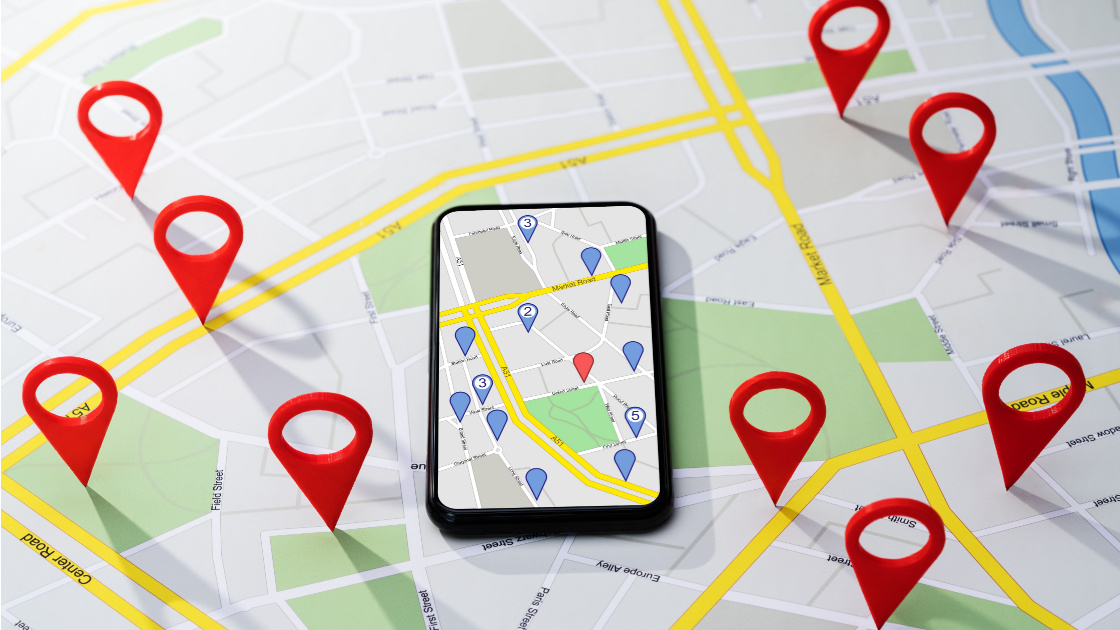
 Renee Goodenough

 Diana May-Jennings

 Zac Kerr



 At the location
 Near the location
 Not near the location
  Unknown

 Sam Dearing



 Chris Pierce

 Shawn Jolley


You must be logged in to post a comment.